Components and properties
A component is a part of your site used in many places, like the navigation, a hero or a card. Change it once for every use, give each use its own text and options, or make a variant for just one.
Tandmade always shows how far a component reaches, and lets you choose: this use, a variant, or every use. Builds and the agent create components on their own, reusing what's there before making anything new.
On the page
- A component is outlined in blue, an ordinary element in pink.
- Its label says how far it reaches: "Hero · used 3× on 2 pages", "Nav · every page", "only here".
- Components have human names, like "Departure board" or "FAQ", and nested ones show a trail: "Hero › Button".
Change one use
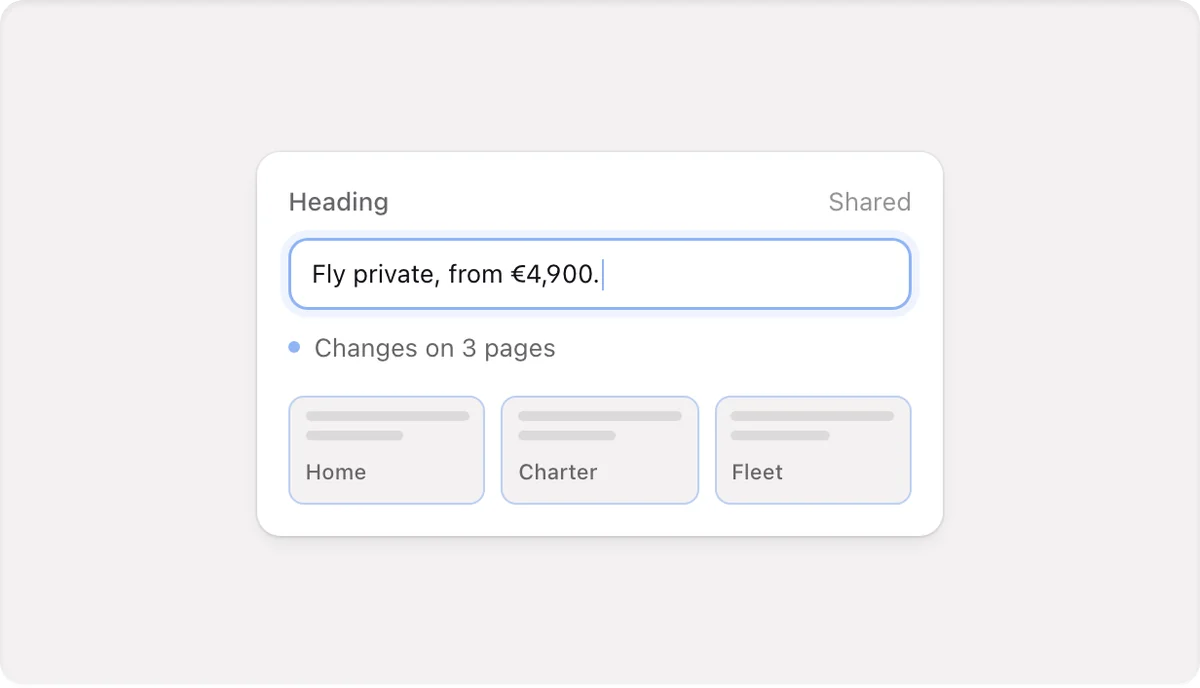
Click the component. In Content you change the texts, images and options of this use without opening the component; other uses stay as they are. A field marked Shared is the same in every use, and says so before you type.
Change every use
Double-click into the component, or open it in Design. You're inside it straight away: the rest of the page shows through a light veil, and a click outside selects what you clicked. Styles changed here apply to every use.
Properties
Properties are the fields one use can fill in differently: text, an image with alt text, a link, a switch, a choice or a number. Each shows whether it's set here or the default, with Reset.
- Make it a property — on a text, button, link or image inside the component; one Enter, with a suggested name.
- Show per use — switch a part on or off in each use.
- Add a choice… — options like Small, Large or Dark. Preview as shows a choice on the page and styles that choice directly.
- Rename a property (in every use too), set its default, reorder the form, or delete it with a warning.
Variants and copies
- Only this Hero… — name it ("Compact") and you get a variant for this use only, opened for styling. One undo.
- Make a separate copy — this use becomes its own component with its own classes; the original stays as it was.
The agent has the same safeguard: "This changes all 6 uses of Hero. Change only this one instead?" with Only this one or All 6 uses.
Create and find components
- Create component — right-click an element or its row in Layers. It moves into its own component and its content becomes properties.
- Add › Components (O) — your sections and parts with live previews, the most used first, unused ones marked Not used.
- Duplicating a section on a page adds another use of the same component, and a message says so.
A component's detail has Edit component, Add to page, Where it's used (click to open the page and select that use), Properties, Variants, Rename (renames the file and every use), Duplicate and Delete (only when unused). A line tells you whether it's "Ready to share — built only from the design system" or "Tied to this site: 3 own classes · 1 image".
Limits
- Styles can't differ on one use directly: style inside the component (every use), through a variant, or with a separate copy.
- There's no plain "detach"; Make a separate copy comes closest.
- Parts rendered by code, like lists and conditions, can't become a component, and values computed in code are read-only in the form; the agent changes them.
- Sharing components between sites isn't available yet.