Write and format content
Write posts in your site's own typography, add images, galleries, videos, tables, notes and FAQs, set how the item looks in Google, and bring back any of its last 30 versions.
Rich text fields work like a document editor: what you see is how it will look on your site.
Format text
- The toolbar has the text style, bold, italic, strikethrough, sub- and superscript, lists, a quote and a link.
- Type / on an empty line for a menu of everything you can add.
- Markdown shortcuts work:
##for a heading,-for a list. So do ⌘B, ⌘I and ⌘K. - Pasting from Word or Google Docs keeps headings, lists, tables and links, and drops foreign colors and fonts.
- Czech, Slovak, German, Polish and English get proper typography on their own: the right quotation marks, and no single-letter word left at the end of a line.
Add things to a post
Insert in the toolbar, or /:
| Insert | What it is |
|---|---|
| Image | From the site's media, an upload, a drop or the clipboard, with a description and a caption |
| Gallery | Several images in a row |
| Video or embed | YouTube, Vimeo, Spotify, Google Maps, X or Instagram by link. Videos load only when clicked, without cookies |
| Button | One of your site's buttons |
| Table | Rows and columns |
| Box | A note, a tip or a warning |
| Questions and answers | An FAQ block. Google gets the FAQ data for it automatically |
| Table of contents | Links to the post's headings |
| Divider | A line between parts |
Images are served to visitors as AVIF or WebP at the right size.
Rewrite with ✦
Select text and click ✦ Rewrite: shorter, longer, punchier, translated into the item's language, or your own instruction. It costs 1 credit. See Rewrite and translate text.
How it looks in Google
Open SEO under the fields to see the item as a Google result and as a social card. Leave the title and description empty and they're filled in from the item, or write your own. Show in search results off keeps it out of Google and the sitemap. SEO goes live with the item, without publishing the site.
Versions
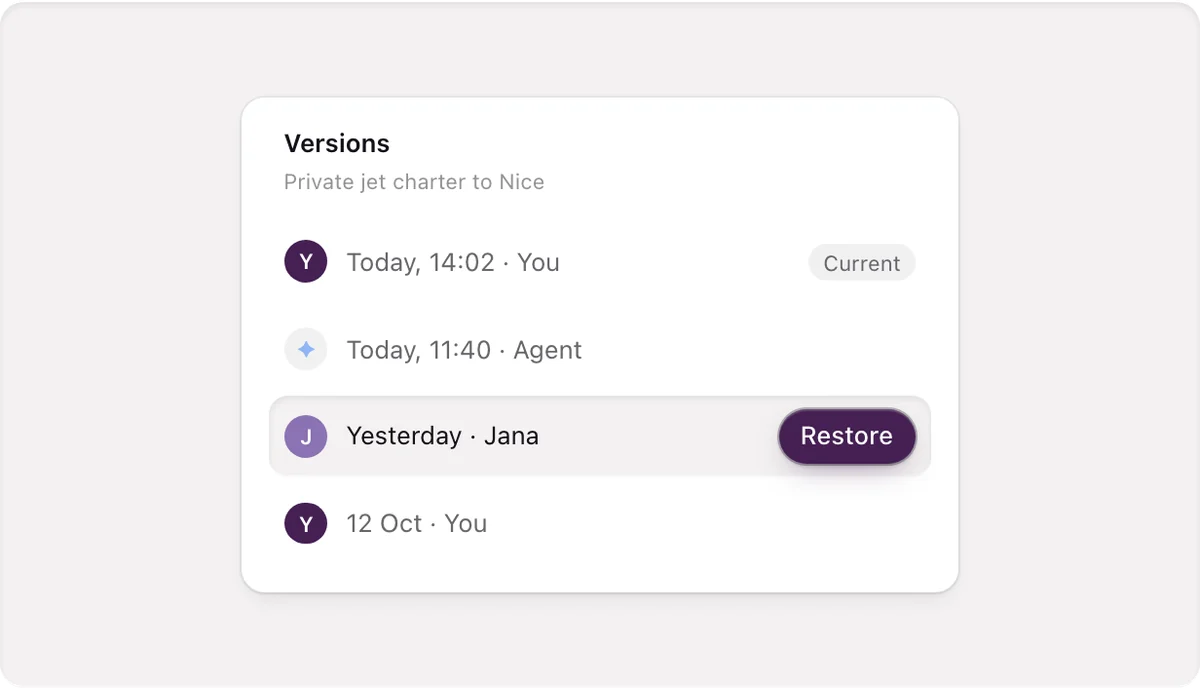
Each item keeps its last 30 versions. Open its history, hover a version and click Restore. The version you replace stays in the history.
Working on the same item together
When someone else has the item open, their face is in the header and a label shows which field they're in. If you both change the same field, you choose Use theirs or Keep mine. This works with apps connected through MCP too.
Translations
On a site with several languages, an item shows a chip for each language. Click a missing one to start a translation as a draft. Each translation has its own address and is published on its own. See Add a language and translate.
How it performs
A published item shows its last 30 days: "1,240 views ↑ 18% · 312 visits started here · 6 contacts", with Open in Analyze.