Welcome to Tandmade
Tandmade is where you build websites in a visual editor on real code, with an agent that does the implementation work. Here is how the pieces fit together.
Tandmade is a visual editor for building websites, for your clients or your own company. You bring the design and the decisions; the editor and the agent do the implementation. Every site is a real Astro project, so what you build is code you can take with you.
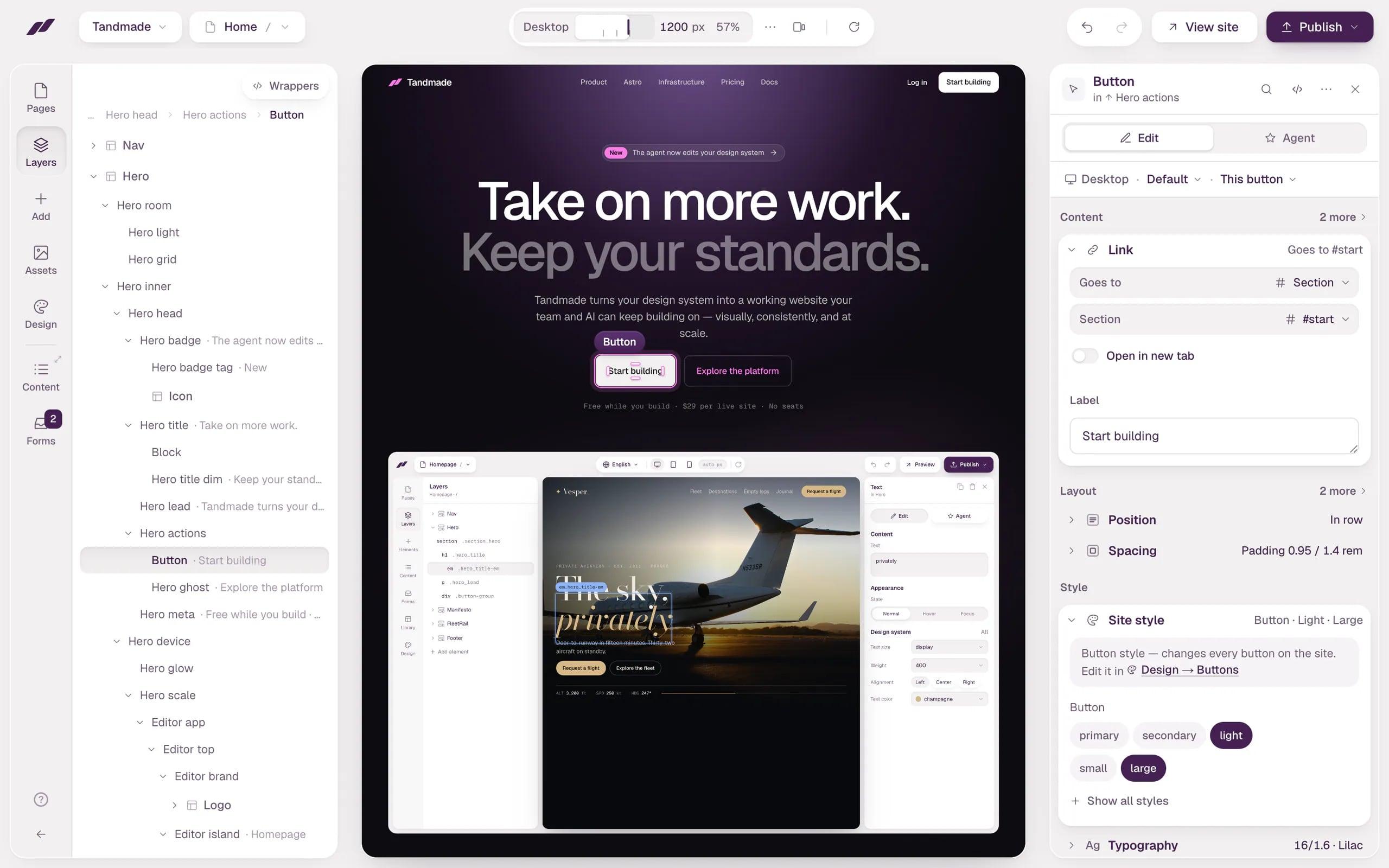
Click something on your site and change it, or ask the agent to do it.
- Your site The real site, running live. Click anything to select it.
- Edit or Agent Change the selection yourself, or describe a bigger change to the agent.
How a site comes together
- Start from what you already have. Paste a Figma link or the address of the current website, and Tandmade rebuilds it as an editable site. Or start from a blank page.
- Edit it. Click something on the canvas and change it. For bigger changes, like a new section or a whole page, ask the agent. It reuses what the site already has before it creates anything new.
- Add content and forms. Blog posts, case studies or team members live in collections, and form submissions are stored in the site. Content goes live without rebuilding the site.
- Publish. Share a review link with your client first, then go live on their domain.
- Hand it over. Give the whole project to your client. They edit the content; you keep access and build the next site.
Workspaces, projects and sites
- Workspace — your studio or your company, with your team in it.
- Project — a folder for one client or one job: their sites and a shared design system.
- Site — one website with its own pages, content, forms and design system. You can export it any time.
Start here
Four short articles take you from an empty dashboard to a published site:
Tip Already have a design? Go straight to Start from Figma or Rebuild a live site from its URL.